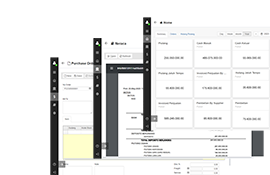
Journal Entries: A guide to recording business transactions
A journal entry is the first official record of a business transaction in the accounting process. Every financial activity, such as making a sale, paying a bill, receiving cash, or purchasing equipment, is recorded as a journal entry before it is posted to the general ledger.
Each journal entry follows the double entry accounting system, meaning every transaction affects at least two accounts:
- One or more accounts are debited
- One or more accounts are credited
- The total debits must always equal the total credits
A journal entry usually includes:
- Transaction date
- Accounts affected
- Debit amount
- Credit amount
- Brief description or explanation
- Reference number (optional)
Proper journal entries help ensure financial records remain complete, accurate, and organized.
Table of Contents:
- Why journal entries matter for your business
- How journal entries work
- What are the different types of journal entries in accounting?
- Journal entry example
- When to use journal entries
- How to record journal entries in Swift Accounting
- Manage journal entries easily with Swift Accounting
- FAQs on journal entries
- Key takeaways
Why journal entries matter for your business
Journal entries are the foundation of accurate accounting. Without them, financial reports cannot correctly reflect the business's financial position.
Benefits include:
- Creates a complete record of every transaction.
- Keeps financial statements accurate.
- Helps identify and correct accounting errors.
- Makes audits easier.
- Supports tax reporting and compliance.
- Improves financial decision making.
- Maintains a clear audit trail.
Whether your business is small or large, accurate journal entries reduce mistakes and improve confidence in your financial data.
How journal entries work
Every business transaction changes the accounting equation:
Assets = Liabilities + Equity
To keep this equation balanced, each transaction records equal debit and credit amounts.
For example:
A business purchases office supplies for $500 in cash.
| Account | Debit | Credit |
|---|---|---|
| Office Supplies Expense | $500 | |
| Cash | $500 |
Explanation:
- Office Supplies Expense increases, so it is debited.
- Cash decreases, so it is credited.
The total debit equals the total credit, keeping the books balanced.
What are the different types of journal entries in accounting?
Businesses use several types of journal entries depending on the transaction.
1. General journal entry
Records regular business transactions.
Example:
- Cash sales
- Paying suppliers
- Utility expenses
2. Adjusting journal entry
Made at the end of an accounting period to recognize income or expenses that have not yet been recorded.
Examples include:
- Accrued expenses
- Accrued revenue
- Depreciation
- Prepaid expenses
3. Closing journal entry
Used at the end of an accounting period to transfer temporary account balances to retained earnings.
Accounts typically closed include:
- Revenue
- Expenses
- Dividends or drawings
4. Reversing journal entry
Optional entries made at the beginning of the next accounting period to reverse selected adjusting entries.
This simplifies recording future transactions.
5. Compound journal entry
A single journal entry involving multiple debit or credit accounts.
Example:
A payroll transaction may include:
- Salaried Expense
- Tax Payable
- Cash
Journal entry example
Example 1: Cash sale
A business sells goods for $2,000 cash.
| Account | Debit | Credit |
|---|---|---|
| Cash | $2,000 | |
| Sales Revenue | $2,000 |
Example 2: Purchase inventory on credit
Inventory purchased for $5,000 from a supplier.
| Account | Debit | Credit |
|---|---|---|
| Inventory | $5,000 | |
| Accounts Payable | $5,000 |
Example 3: Pay monthly rent
Rent payment of $1,200.
| Account | Debit | Credit |
|---|---|---|
| Rent Expense | $1,200 | |
| Cash | $1,200 |
Example 4: Receive payment from a customer
Customer pays an outstanding invoice of $3,500.
| Account | Debit | Credit |
|---|---|---|
| Cash | $3,500 | |
| Accounts Receivable | $3,500 |
When to use journal entries
Journal entries should be recorded whenever a financial transaction occurs.
Common situations include:
- Recording sales
- Receiving customer payments
- Purchasing inventory
- Paying suppliers
- Paying employee salaries
- Recording loan transactions
- Purchasing fixed assets
- Recording depreciation
- Adjusting prepaid expenses
- Recording accrued expenses
- Correcting accounting mistakes
- Closing accounting periods
The sooner transactions are recorded, the more accurate your accounting records remain.
How to record journal entries in Swift Accounting
Follow these simple steps.
Step 1: Identify the transaction
Understand what happened.
Example:
The company purchased office furniture.
Step 2: Determine which accounts are affected
Identify all accounts involved.
Example:
- Furniture
- Cash
Step 3: Decide which accounts increase or decrease
Determine how the transaction changes each account.
Step 4: Apply debit and credit rules
Record the correct debit and credit amounts.
Remember:
- Assets increase with debits.
- Assets decrease with credits.
- Expenses increase with debits.
- Liabilities increase with credits.
- Equity increases with credits.
- Revenue increases with credits.
Step 5: Verify the totals
Total debits must equal total credits.
If they do not match, review the transaction before posting.
Step 6: Add a description
Include a short explanation for future reference.
Example:
"Purchased office furniture paid in cash."
Step 7: Post to the general ledger
Once recorded, journal entries are transferred to their respective ledger accounts for reporting.
Manage journal entries easily with Swift Accounting
As your business grows, manually recording journal entries can become time consuming and increase the risk of errors.
Modern accounting software like Swift Accounting can simplify the entire process by helping you:
- Automatically create journal entries from invoices, bills, and payments.
- Apply double entry accounting accurately.
- Organize transactions by account.
- Generate financial reports instantly.
- Reduce manual data entry.
- Maintain a complete audit trail.
- Improve accuracy and save time.
Automation allows business owners to spend less time on bookkeeping and more time growing their business.
FAQs on journal entries
What is the purpose of a journal entry?
A journal entry records every financial transaction before it is posted to the general ledger, creating the foundation for accurate accounting records.
What is the difference between a journal and a ledger?
A journal records transactions in chronological order. A ledger groups transactions by account, making it easier to prepare financial statements.
Do journal entries always need both debit and credit?
Yes. Under double entry accounting, every journal entry must contain equal debit and credit amounts.
Can journal entries be corrected?
Yes. Errors are usually corrected by recording an adjusting or correcting journal entry rather than deleting the original transaction.
How often should journal entries be recorded?
Transactions should ideally be recorded as soon as they occur. Prompt recording improves accuracy and ensures financial reports stay up to date.
What information should every journal entry include?
A complete journal entry typically contains:
- Transaction date
- Accounts affected
- Debit amount
- Credit amount
- Description
- Supporting reference or document number, if applicable
Can accounting software generate journal entries automatically?
Yes. Most modern accounting systems automatically create journal entries from everyday transactions such as sales, purchases, payroll, and payments, reducing manual work and improving accuracy.
Key takeaways
- Journal entries are the starting point of every accounting record.
- Every transaction follows the double entry accounting principle.
- Total debits must always equal total credits.
- Accurate journal entries support reliable financial statements.
- Different journal entry types serve different accounting purposes.
- Recording transactions promptly helps prevent errors.
- Modern accounting software can automate journal entries, improve accuracy, and save valuable time.